Of course we cannot always share details about our work with customers, but nevertheless it is nice to show our technical achievements and share some of our implemented solutions.
I was looking into a synchronisation problem on a Seafile client on Windows, which got me scratching my head more than I'd thought.
As soon as the library was selected to sync with a local folder, the sync/download of the library stopped at 1%.
At the begin I suspected that a subfolder's size exceeds the Seafile's configured max folder size, but the Seafile client log (which can be found in C:\Users\$USER\ccnet\logs) clearly indicated another problem:
[10/27/15 14:44:52] vc-utils.c(567): Failed to create dir C:/Users/kuenzlerc/Seafile\Documents/Projects | Clients.
When I saw the backslash after C:/Users/kuenzlerc/Seafile I thought that's the problem. But at the second look I saw the pipe character (|).
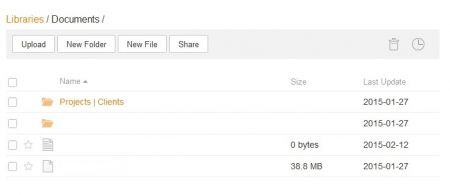
On the web UI I verified the file name and indeed: The folder name said "Projects | Clients":
Now Windows users know what happens, if you want to name a file or folder with a special character:

Translated: A file name must not contain any of the following characters: "\ / : * ? < > |".
As Seafile is a cross-OS file sharing tool (which makes Seafile so great!), other operating systems like Mac OS X may use these characters in file names. Hence the problem when a Windows client tries to sync such a folder or file.
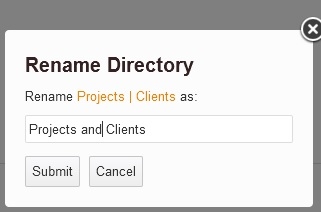
As soon as I renamed the folder name to "Projects and Clients" in the web UI, the sync continued and finished in a few minutes.